SSID Pool
The Pineapple SSID Pool is a list of Wi-Fi networks to artificially advertise.
The Pineapple Open AP can mimic any number of SSIDs - but many clients won’t connect to a network if they have not seen a beacon for that network name!
The SSID pool fills this gap by advertising a list of additional networks, enticing clients to send a connection request which the Open AP is able to capture.
Filling in the SSID Pool
The first step to using the SSID pool functionality is to add SSIDs to the list.
SSIDs can be added manually or automatically.
Manually adding SSIDs
SSIDs can be added via the UI from the PineAP options, under PineAP > SSID Pool
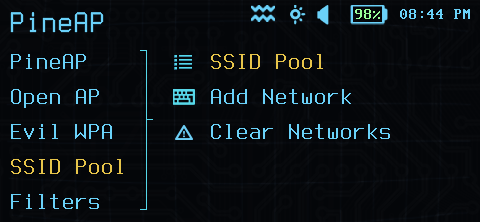
PineAP SSID Pool Configuration
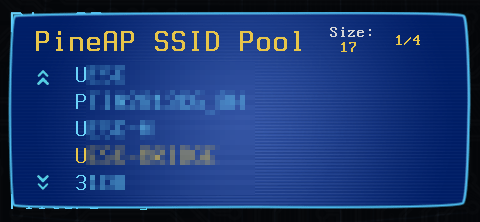
PineAP SSID Pool List
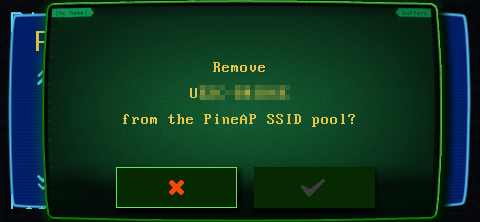
PineAP SSID Pool Editing
SSIDs can also be manipulated via the command line (either via ssh, the Virtual Pager, or in a payload) using the PINEAPPLE_SSID_POOL_ADD, PINEAPPLE_SSID_POOL_LIST, and PINEAPPLE_SSID_POOL_DELETE DuckyScript commands.
Automatically adding SSIDs
The Pineapple recon system can also automatically collect probed SSIDs - network names clients have explicitly searched for. This allows the pool to automatically adapt to the client environment.
Automatic collection can be enabled via the UI under PineAP > Collect Probes
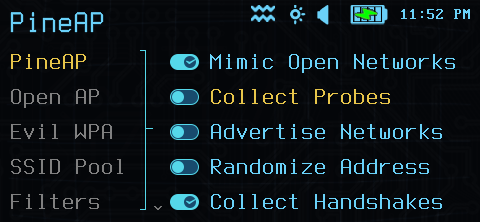
PineAP probe collection
Or via the command line with the PINEAPPLE_SSID_POOL_COLLECT_START and PINEAPPLE_SSID_POOL_COLLECT_STOP DuckyScript commands.
Remember your filters!
When the Network filter is set to ALLOW mode, you will need to add any SSIDs in the SSID Pool to the allowed list!
Enabling SSID Pool advertising
To actually transmit SSIDs in the pool, you must enable advertising. This is done in the UI under PineAP > Advertise Network.
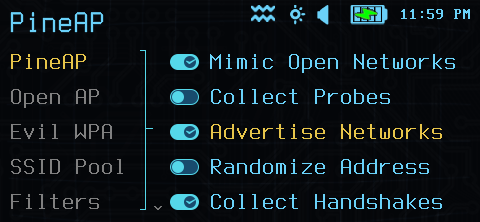
PineAP SSID pool advertising
Similarly, via the command line or payloads, the PINEAPPLE_SSID_POOL_START and PINEAPPLE_SSID_POOL_STOP DuckyScript commands control advertising.
Address randomization
By default, PineAP uses the MAC address (BSSID) of the Open AP interface. This tends to have the most success with most clients, however some Wireless monitoring systems and intrusion detection systems may easily detect that a single access point is acting unusually.
The Randomize Address option allows PineAP to generate random BSSID addresses for each SSID, which makes it less obvious that one device may be emulating many networks - however many modern WiFi clients will not attempt to connect to the Pineapple Open AP if the addresses do not match.
Your mileage may vary - try both options depending on the types of clients you are targetting!
SSID Pool size
The SSID Pool is limited to 64 SSIDs - Each SSID takes time to advertise, and must be advertised for multiple seconds before a client will attempt to connect to it.
When adding SSIDs, the oldest SSIDs in the pool list are automatically expired as new SSIDs are added.