On this page
article
CONFIRMATION_DIALOG
CONFIRMATION_DIALOG Ask the user to confirm an action via the UI
When to use it
Use CONFIRMATION_DIALOG before taking a payload action which might
take a log time, be intrusive, take action against a remote system, or
any other time your payload should warn the user before an action and
give them time to cancel.
Syntax
CONFIRMATION_DIALOG [text prompt]
text prompt required
Arbitrary text shown to the user. The text should be kept short enough to fit on the device display.
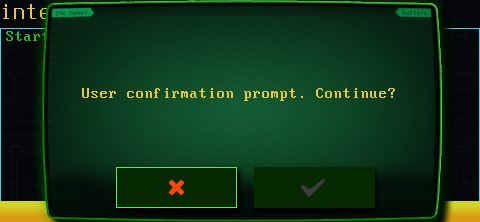
Results
CONFIRMATION_DIALOG will wait until the user has made a selection, pausing the payload.
CONFIRMATION_DIALOG prints a 1 as a return if the user continues or 0 if the user cancels.
CONFIRMATION_DIALOG exits with a return code of 0 under normal operation, and non-zero if the command fails.
Examples
resp=$(CONFIRMATION_DIALOG "Continue the payload?") || exit 1 if [ "$resp" != "$DUCKYSCRIPT_USER_CONFIRMED" ]; then LOG "User cancelled!" exit 0 fi
Remember to enclose the prompt text in quotes if it contains spaces!