On this page
article
ALERT
ALERT Raise an alert in the UI
When to use it
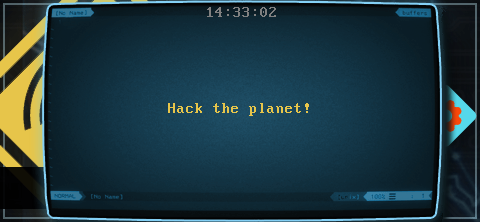
ALERT displays a full-screen alert message and plays the alert
ringtone if the user has one selected. It can be called from alert
payloads or normal user payloads - whenever an event requires the users
attention, use ALERT!
Syntax
ALERT [message]
message required
Arbitrary message presented to the user. Messages should be kept short enough to fit on the display.
Results
ALERT displays the requested test, and has no returned data.
Examples
  ALERT "Notice me!"
__demo=$(TEXT_PICKER "No default text" "") || exit 0
Remember to enclose the prompt text in quotes if it contains spaces!