On this page
article
IP_PICKER
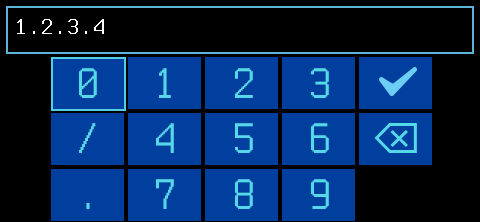
IP_PICKER Prompt the user to interactively enter an IPv4 address via the Pager UI
When to use it
Use IP_PICKER any time a payload needs an IP address, such as for
connecting to a host.
Syntax
IP_PICKER [text prompt] [default IP]
text prompt required
Text prompt / dialog title shown to the user. Text prompts should be kept short enough to fit on the device display.
default IP required
Default IP address when the picker launches. Must be an empty
string ("") for a blank prompt.
A default IP should typically be provided. To prompt the user with no
default, use a blank quoted string (
"") for the IP parameter.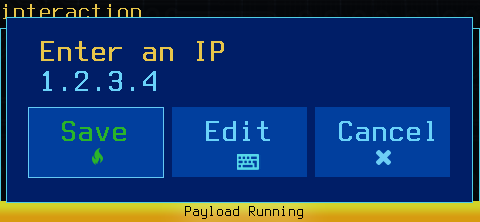
Results
IP_PICKER will wait until the user has made a selection, pausing the payload.
IP_PICKER exits with a return code of 0 if the user continues, and non-zero if the user cancels.
IP_PICKER returns the IP address as the output.
Examples
__userip=$(IP_PICKER "Target IP" "1.2.3.4") || exit 0
__userip=$(IP_PICKER "No default IP" "") || exit 0
Remember to enclose the prompt text in quotes if it contains spaces!