SPINNER
START_SPINNER - Show an indeterminate spinner indicating a long-running task is running
STOP_SPINNER - Cancel a spinner
When to use them
Use START_SPINNER before any payload action which may take a long time - for instance a network scan. Spinners let the user know that something is still happening, even if it takes a while.
Syntax
START_SPINNER [message]
message
Message to display while the spinner is active. Messages should be kept short enough to fit on the device display.
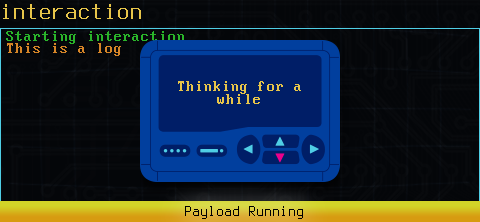
A spinner
In firmware 1.0.4 or older, the spinner message should be a single word. Using a multi-word prompt will unfortunately make a spinner which can not be cancelled.
This is fixed as of 1.0.5 - use any spinner title you like!
STOP_SPINNER [spinner id]
The spinner id returned by START_SPINNER must be provided to cancel a running spinner.
Results
START_SPINNER returns the ID of the spinner. You must capture this to cancel the spinner!
Examples
  __spinnerid=$(START_SPINNER "Thinking")
sleep 5
STOP_SPINNER ${__spinnerid}