Virtual Pager
The Virtual Pager is the web-based interface to the Pineapple Pager, which provides a live view of the WiFi Pineapple Pager screen, a terminal, and loot download links.
Connecting to the Virtual Pager
The virtual pager site is available from the USB-C and Management Wi-Fi networks.
Point a browser at http://172.16.52.1:1471 to access the virtual pager site.
Make sure to use the full URL http://172.16.52.1:1471 . Many browsers will attempt to use https on all sites, or will treat the IP address as a search term!
Logging in

Log in to the Virtual Pager site using your device password you set during device setup.
The Virtual Pager
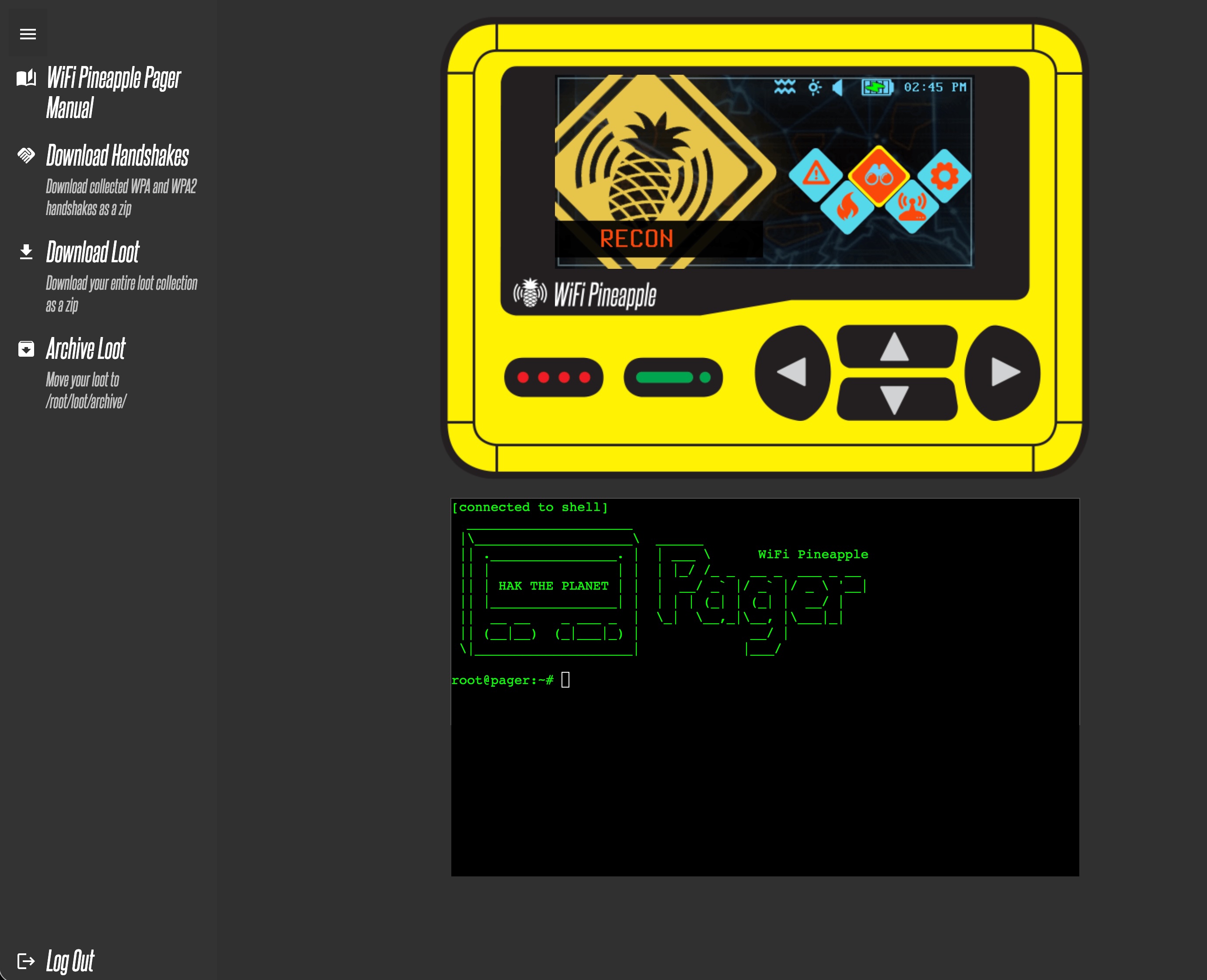
From the Virtual Pager you can control the Pager itself as if you were physically pressing the buttons. The screen is a live display of the Pager screen contents.
From the sidebar menu on the left-hand side you can directly download zip archives of captured WPA handshake files (pcap and hashcat format), download all captured loot, and archive loot.
Archived loot is moved to /root/loot/archive/!
The terminal is a standard shell - connecting via SSH or using the terminal will work the same!